
Appearance
💬 User Guide: Chat with AI Assistant
Get instant help and information about your reports using the AI assistant.
Opening the Chat
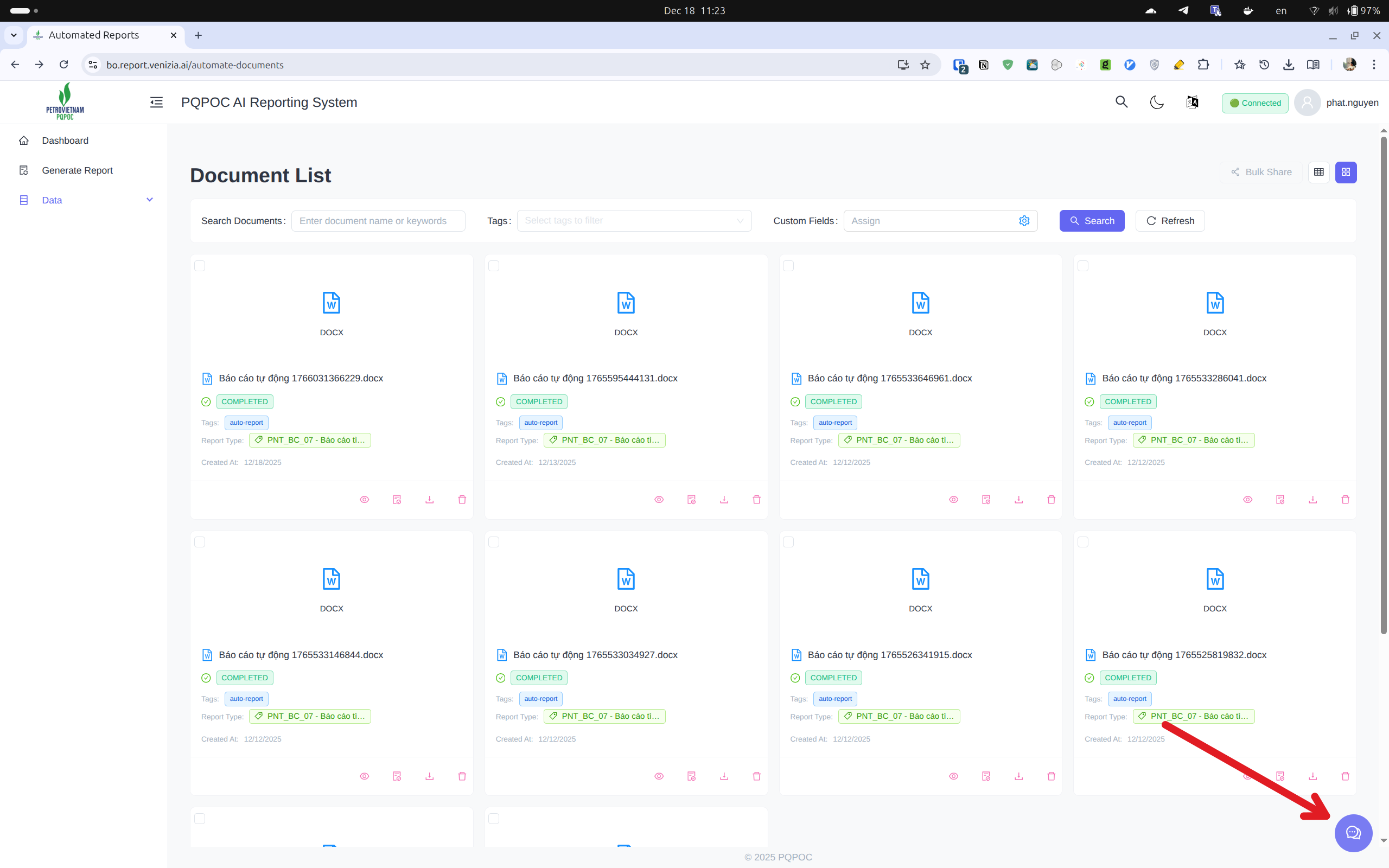
To start chatting:
- Look for the chat icon (💬) in the bottom-right corner
- Click the icon to open the chat panel
The chat panel appears on the right side of your screen.
Asking Questions
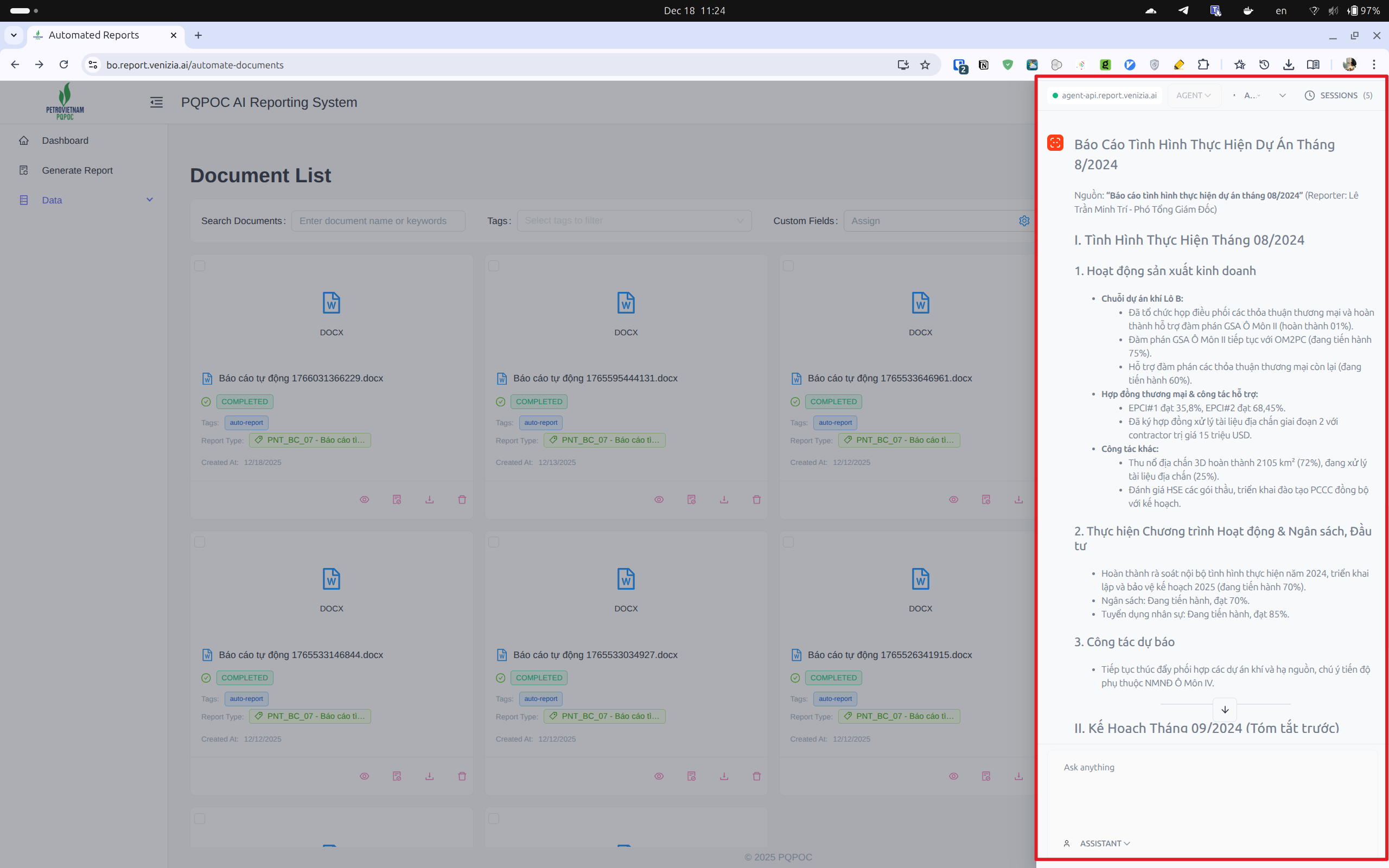
What can you ask?
- Summarize a report
- Explain report details
- Find specific information
- Get help understanding data
- Ask about report status
How to ask:
- Type your question in the text box at the bottom
- Press Enter or click Send
- The assistant will respond with helpful information
Example questions:
- "Summarize this report for me"
- "What's the status of my BC-04 report?"
- "Explain the key findings in this document"
💡 The assistant understands both Vietnamese and English
Tips for Better Results
- Be specific: Ask clear questions about what you need
- One topic at a time: Focus on one question before moving to the next
- Use report names: Mention the report type or date if asking about a specific report
Close chat: Click the X button or chat icon again to close the panel
Need help? See Key Concepts or Generating Reports | Back to User Guide Home